MUDO · CERAMICS
A calm studio companion for ceramic practice
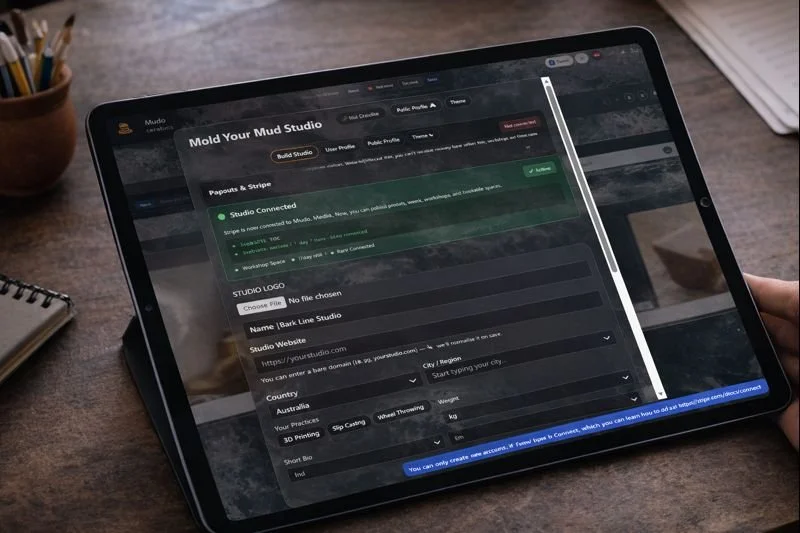
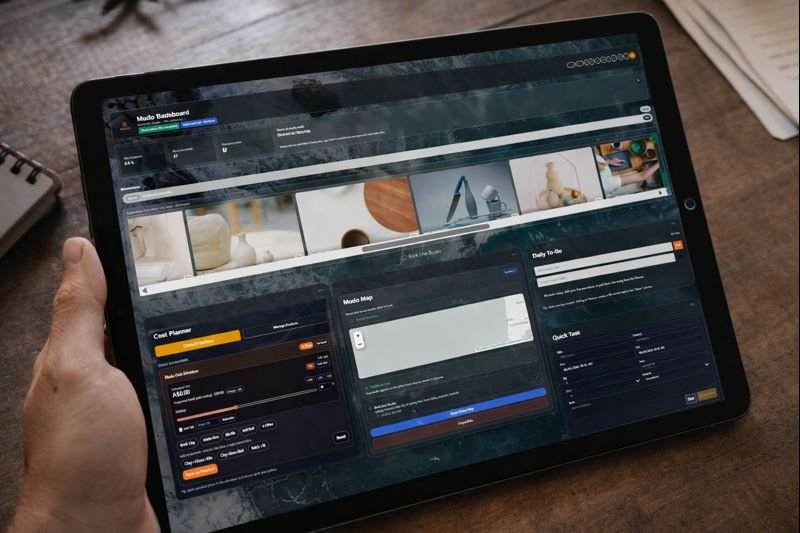
Mudo Ceramics helps ceramicists plan, track, and reflect on studio work, from materials and production to workshops and daily flow.
See how it works
(scroll down)

Built for real ceramic studios
Mudo Ceramics is designed for independent ceramicists, small studios, and teaching practices who want structure without rigidity.
Whether you work in batches, one-off pieces, or workshops, Mudo adapts to how you work, not the other way around.
Designed for
Independent ceramicists
Small production studios
Teaching and workshop practices
Artist–makers balancing making and administration
What Mudo Ceramics helps you manage
Mudo Ceramics brings the essential parts of studio life into one place — without forcing a single way of working.
-
Plan pieces, batches, and kiln loads with clarity — without spreadsheets or scattered notes.
Track pieces and batches
Plan kiln firings
Visualise studio workload
-
Keep your materials, glazes, and recipes organised and accessible.
Material libraries
Glaze records
Recipe tracking over time
-
A planner designed around studio reality — not corporate task lists.
Studio-focused tasks
Flexible timelines
Clear overview of what’s next
-
Manage workshops alongside studio work, not in a separate system.
Workshop scheduling
Participant tracking
Integrated with your studio calendar
-
Keep financial and operational records where your work lives.
Receipts
Orders
Simple, practical tracking
If you already run a ceramic studio, Mudo will feel familiar on day one.
Designed to feel like a studio tool — not software
Mudo Ceramics is intentionally calm.
It avoids clutter, unnecessary automation, and rigid systems.
The interface stays out of the way so you can focus on making.
Optional structure — not forced workflows
No dashboards screaming for attention
No feature overload
Tools that adapt as your practice evolves
Mudo Ceramics grows slowly, guided by real studio use — not feature checklists.
Access & pricing
Mudo Ceramics starts with a 7-day free trial, giving full access to the studio tools.
After the trial, a subscription is required to continue using the Studio tools.
Notes
Visitor browsing remains free
Promo codes may extend access
No long-term lock-in
Mudo Ceramics is part of the Mudo platform by Bark Line Studio.